Campaign Results Report

  
Previous Top Next

graphic

At any time in a Campaign, or even after a Campaign has closed, you may run a "Campaign Results

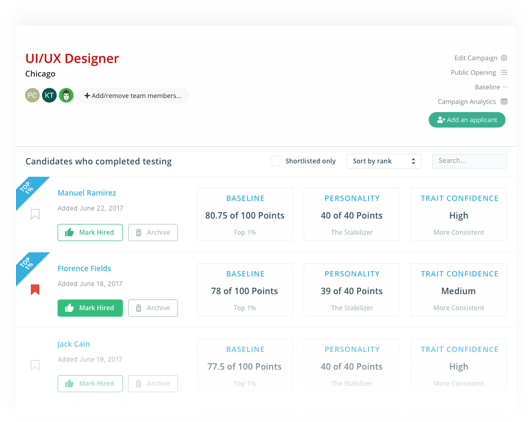
Report" which provides a list of all Applicants who applied for that Campaign sorted in order of TOTAL SCORE based on the BASELINE  you currently have open.  Simply choose the "Reports" item from the Main Menu, then "Campaign Results Report".

graphic

No only does the Report provide information on each Applicant, it also provides information on which Applicants have come closest to the BASELINE you have open in the Hire Success software.  Leaving the Campaign open, you may open other Baselines and print other Campaign Results Reports so you can see which applicants in the Campaign come closest to the various Baseline positions you may be seeking.

Once the Campaign Results Report has been generated, it will be automatically displayed in your system's Browser (such as Microsoft Internet Explorer) for you to view and/or print.  If you wish to SAVE a copy of the HTML Report, use the "File/Save" option on your Browser and save the Report to any location on your computer or network you desire.


Hire Success is a Registered Trademark of Decision Support Technology, Inc.
and is Registered in the United States Patent and Trademark Office.

Copyright 1999-2008, Decision Support Technology, Inc.  All Rights Reserved.