EDIT BASELINE DATA

  
Previous Top Next

OVERVIEW

For Detailed Information on Creating, Editing and Maintaining Baselines, see: "CREATING A BASELINE - EASY AS 1-2-3 "

Baseline Editor

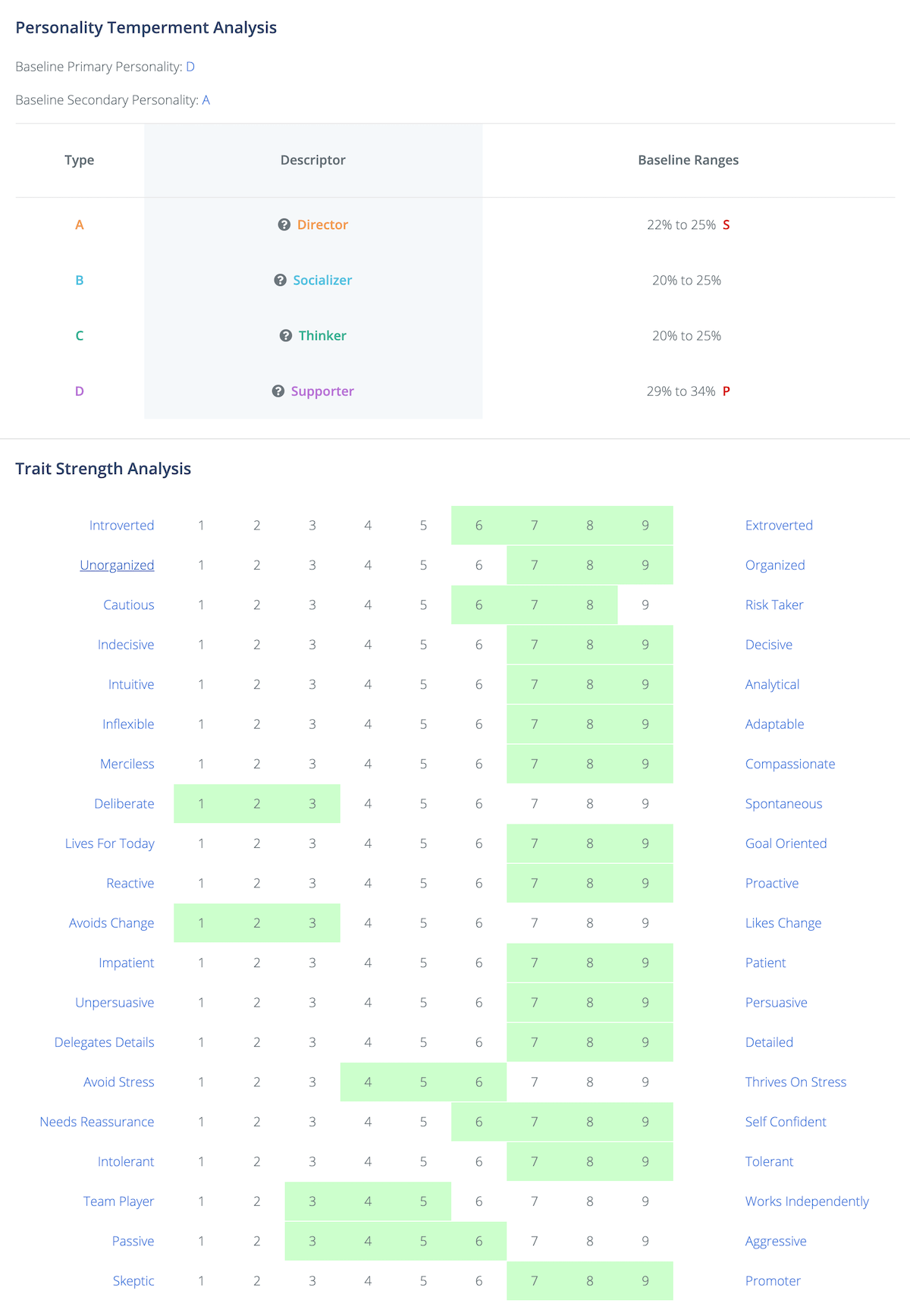
The baseline edit screen shows the statistical range calculated for each of the 4 personality types, each of the 20 Trait Scales and the statistical "Baseline Score" each of the Reports used to develop the baseline earned when applied to the baseline statistics they created.  Using this screen, you have the ability to adjust any of the values to reflect the goals and objectives your company may have for each job.  For example, if you were developing a baseline for a sales position, and the recommended high range was 8, you may believe someone more "persuasive" might not be detrimental and thus change the high range to "9".


You may use this screen to "tweak" Baseline Data generated by the Hire Success System.  The data that was automatically generated was processed through the following steps:

1.  Each Data Element (e.g. a Trait Scale Value) is evaluated for every Employee you chose to be part of the Baseline is cataloged, and an Average Value is determined.

2.  Based on the number of people who were selected to be part of the Baseline, the system calculates the value of one "Standard Deviation".

3.  One Standard Deviation is added to and subtracted from the Average Trait Value to determine the Baseline Range.

4.  The range is rounded to the nearest whole value to create a range that will be displayed as a light green shaded area on the Baseline Summary Report.

Sometimes, the statistical range is very narrow or non-existent.  This would occur if all or most of the Reports selected to create the Baseline had the same or very similar value on a particular scale.  The Baseline Edit Screen allows you to expand or narrow the range to meet your special goals and objectives.

It is recommended that a Baseline Range be approximately a range of 3 values, such as 7-9, or 3-5.  If a range is very wide, e.g. 2-8, most people would fall inside the baseline range and it would not provide much value in trying to select candidates with personalities similar to your best employees you selected to use for the baseline.  Likewise if the range is too narrow, it could be too exclusive and make it more difficult to find many people who met the baseline criteria.


WHEN TO USE "0" VALUES

An entire Baseline Range can be made null by making both the High and Low values equal to zero (0).  This means everyone would be included and indicates this is not applicable to the particular position.


BASELINE DATA EDITOR DETAILS

Baseline Temperament Edit Box

PERSONALITY TYPES

The Statistical Range for Each of the 4 Personality Temperaments is displayed showing the Low Range (1 Standard Deviation less than the Average), the High Range (1 Standard Deviation greater than the Average), and the actual Average Value determined by adding all of the Same Values from each Employee Report making up the Baseline, then dividing by the number of Employee Reports in the Sample.

If you have selected your Employee Reports carefully, using employees who are the best examples of exhibiting the Personalities you seek in new applicants, the Statistical Range calculated by the Hire Success System will probably be the best values to use.  However, if you have reason to believe a different range would be more appropriate for the job or position you are trying to fill, you may edit any of the information and Save it for future use.

NOTE: Any changes you may make will be OVERWRITTEN any time you add or delete Employee Reports that make up the Baseline and have the system recalculate the Statistical Ranges.


SETTING THE PRIMARY & SECONDARY TYPES

To the right of each of the 4 Temperament Ranges are scrolling selection buttons that indicate the Target PRIMARY and SECONDARY Personality Temperaments.  The System has calculated these automatically based on which Temperament has the highest Average value (Primary Personality) and the Temperament with the second strongest value (Secondary Personality)

You may choose to change these values by scrolling between the Blank (solid blue) to either a Primary or Secondary selection.  The System will not allow two types to be "Primary" or "Secondary", so if you make an change, it will blank the previous Primary or Secondary Selection. Although it is possible to make all 4 blank, it is not recommended.  You should have both a Target Primary and Secondary Personality Temperament in each Baseline.


PRINTING THE BASELINE DATA REPORT

Once the Baseline data is complete and representative of the success traits exhibited by the "ideal" candidate for a particular job or position, you may view and print the information by clicking on the "Report" button at the bottom center of the screen.  The report will be displayed in your default Internet Browser, just like the Personality Profile Reports, where you can view, print or even save the information.  Because the Baseline Data Report is a complete HTML page, it can be saved with a .html file extension, and published on your company Intranet or Internet site for authorized users in your company to review.  This is particularly useful if you have multiple locations and you want managers to build a similar baseline for their office that is the same or similar to the Baseline file you've developed.


NON APPLICABLE TRAITS

It is important that only those traits that are applicable to the job or position be considered in the baseline.  You would probably not want to assess a person applying for a job as a custodian or file clerk by developing a range for "Persuasive" if persuasiveness was not a requirement for the job for which they are being considered.   Any trait which is not applicable for the job, you can simply enter "0" in both the high and low range, thus nullifying the display of baseline information in that range.   Alternately, if you wish for the report to indicate that the range is "all inclusive", enter a "1" for the low range and "9" for the high range so all applicants will fall in this range.  This approach can be useful if an interviewer thinks there might be an error in the report if no range is shown. 

Whichever technique you use, it is important to only evaluate applicants and employees based on those traits that are demonstrably important for this particular job or position.  It is also important to identify those traits that in fact differentiate your most successful people in that position or job, from those who may be least successful.  Refer the next section for further details.


IDENTIFYING "KEY" TRAITS

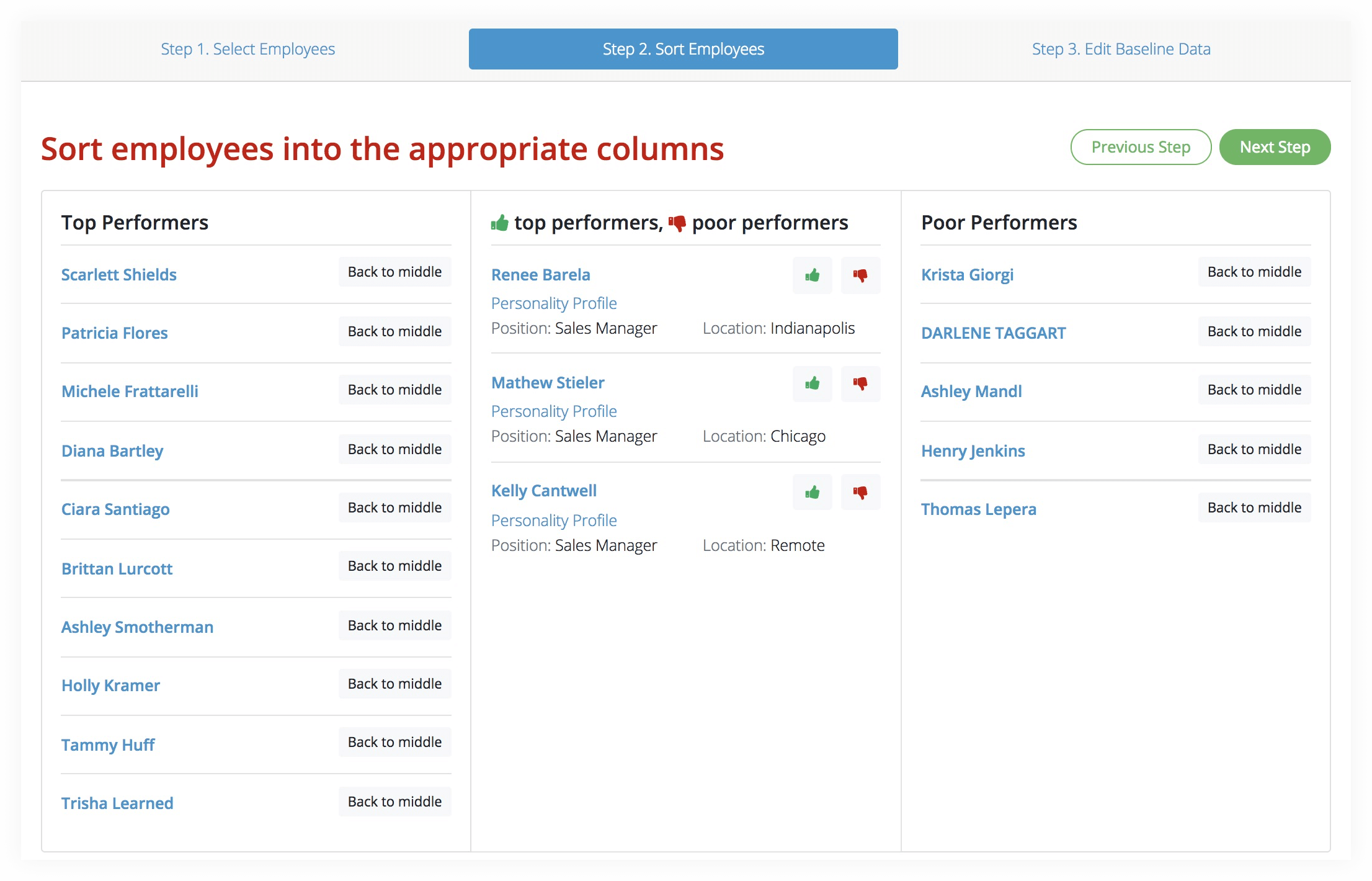
When developing a Baseline file, it is a good idea to develop a Baseline representing the least successful people in the job that exhibit similar problems in the workplace that may cause them to be less successful.  This can be useful by comparing the statistically calculated Trait ranges for each scale to those of the most successful people.  Chances are, you will find many of the Trait ranges to be the same or similar.  However, what you are looking for are a few trait ranges that are different.  If these ranges also represent important elements of the job, then these could be considered "key" traits.

For example, if you discover your least successful sales people are very high in the aggressive scale, but your best are only moderately aggressive, it could be an indication that too much aggressiveness in the sales process may be turning customers "off" instead of getting the sale. Or perhaps you discover customer service representatives that have a very social personality spend more time talking and are less productive than those who are less social and more focused on details.  If after testing as many employees as possible, this represents a consistent pattern, and productivity is something on which you measure people in this job, you would have identified this as a "key" Trait.

It is possible to only include "key" traits in the Baseline File by making all other traits values of "0" and thus will help the interviewer focus on the specific key Traits.  The HIRE SUCCESS  system gives you complete control over the ranges used in the Trait Baseline values. 

BASELINE SCORE VALUESBaseline Scores

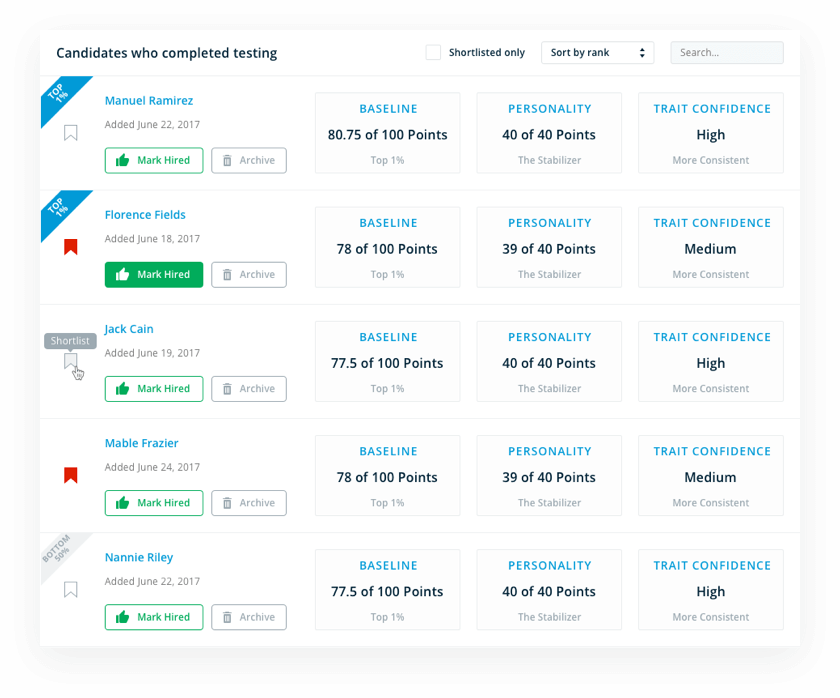
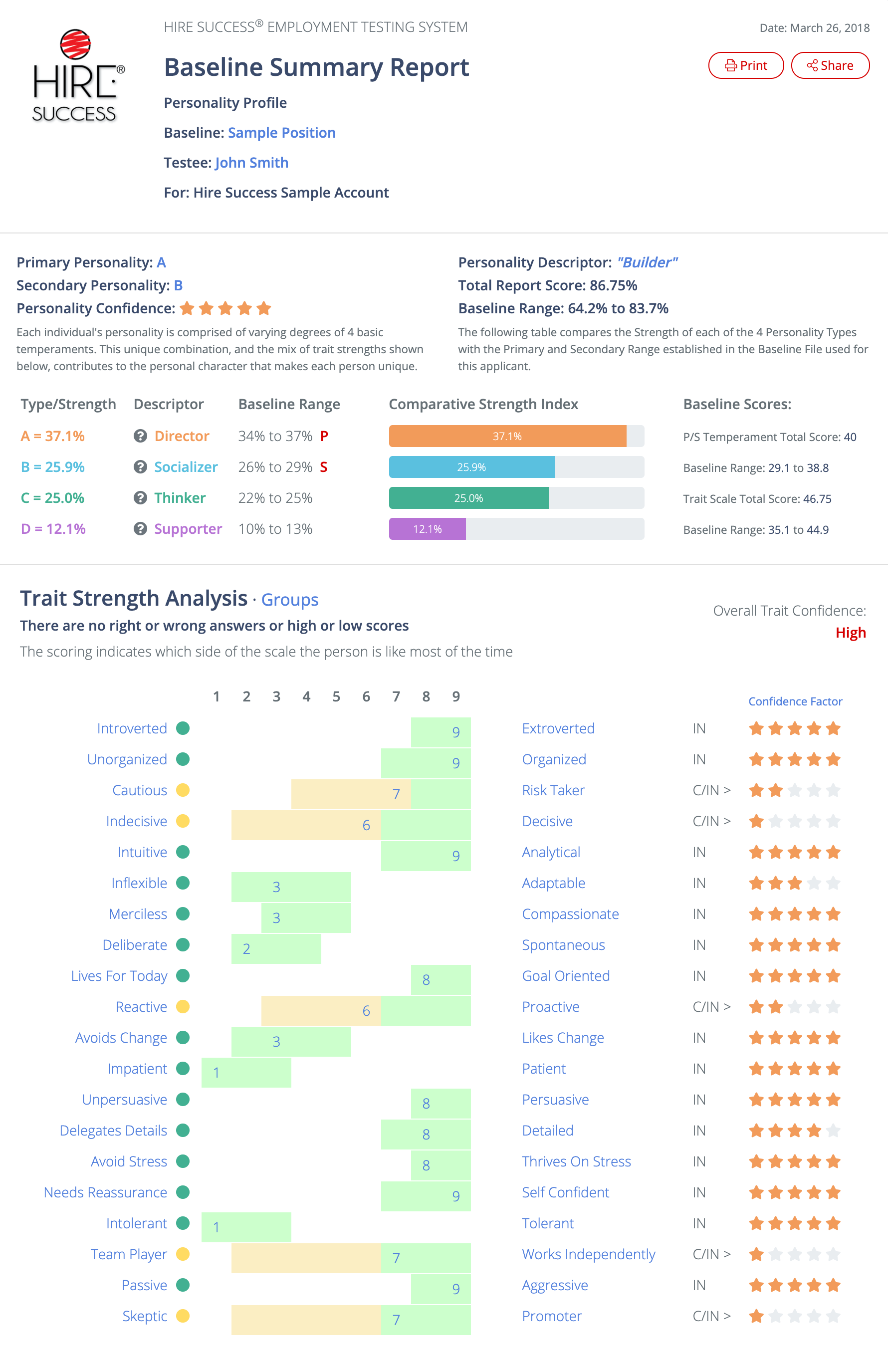
When a Baseline is applied to an Applicant or Employee's Personality Profile Report, the system assigns a Score Value to each data element based on several factors.  The purpose of the Score is to help the Interviewer sort the Reports from a hiring Campaign by identifying those who come closest to the Baseline.  It is unlikely anyone will achieve a perfect score, not even the people whose Reports were used to create the Baseline ranges.  Therefore, after calculating the Baseline Data, the System goes back and applies the new Baseline data to each of the reports that were used to create the Baseline.  The Statistical Range (+/- one Standard Deviation from the Average) is calculated for the total of all 20 Trait Scales, a separate score for the Primary and Secondary Personality, and a total score for the entire Report that is displayed at the top left corner of the Baseline Summary Report.

The Total possible Score is: 100.  This is made up of a maximum of 40 points from the Primary and Secondary Personality Temperaments and up to 60 points from each of the 20 Trait Scales. More information about how the Scores are calculated can be found in the help section for reading the BASELINE SUMMARY REPORT .

The Scores automatically calculated help give the Interviewer a reasonable basis for evaluating Reports that are at least as close to the Baseline as the Reports that were used to create the Baseline

data. 


IMPORTANT: THE BASELINE SCORE ALONE SHOULD NOT BE USED TO SELECT, OR NOT SELECT, ANY APPLICANT FOR CONSIDERATION OR EMPLOYMENT.  IT IS PROVIDED STRICTLY AS A TOOL TO HELP INTERVIEWERS SORT MULTIPLE REPORTS AND EASILY IDENTIFY THOSE WHO ARE CLOSEST TO THE ESTABLISHED BASELINE.


Hire Success is a Registered Trademark of Decision Support Technology, Inc.
and is Registered in the United States Patent and Trademark Office.

Copyright 1999-2008, Decision Support Technology, Inc.  All Rights Reserved.